Overview
A tree-like representation of the web that gets loaded in the browser ⇒ represents the document as nodes and objects
- Catalogues the web page into individual objects that we can select and manipulate
- As the browser parses the HTML, it creates a JavaScript object for every element and section of text encountered. These objects are called nodes—element nodes and text nodes, respectively.
- Diagram
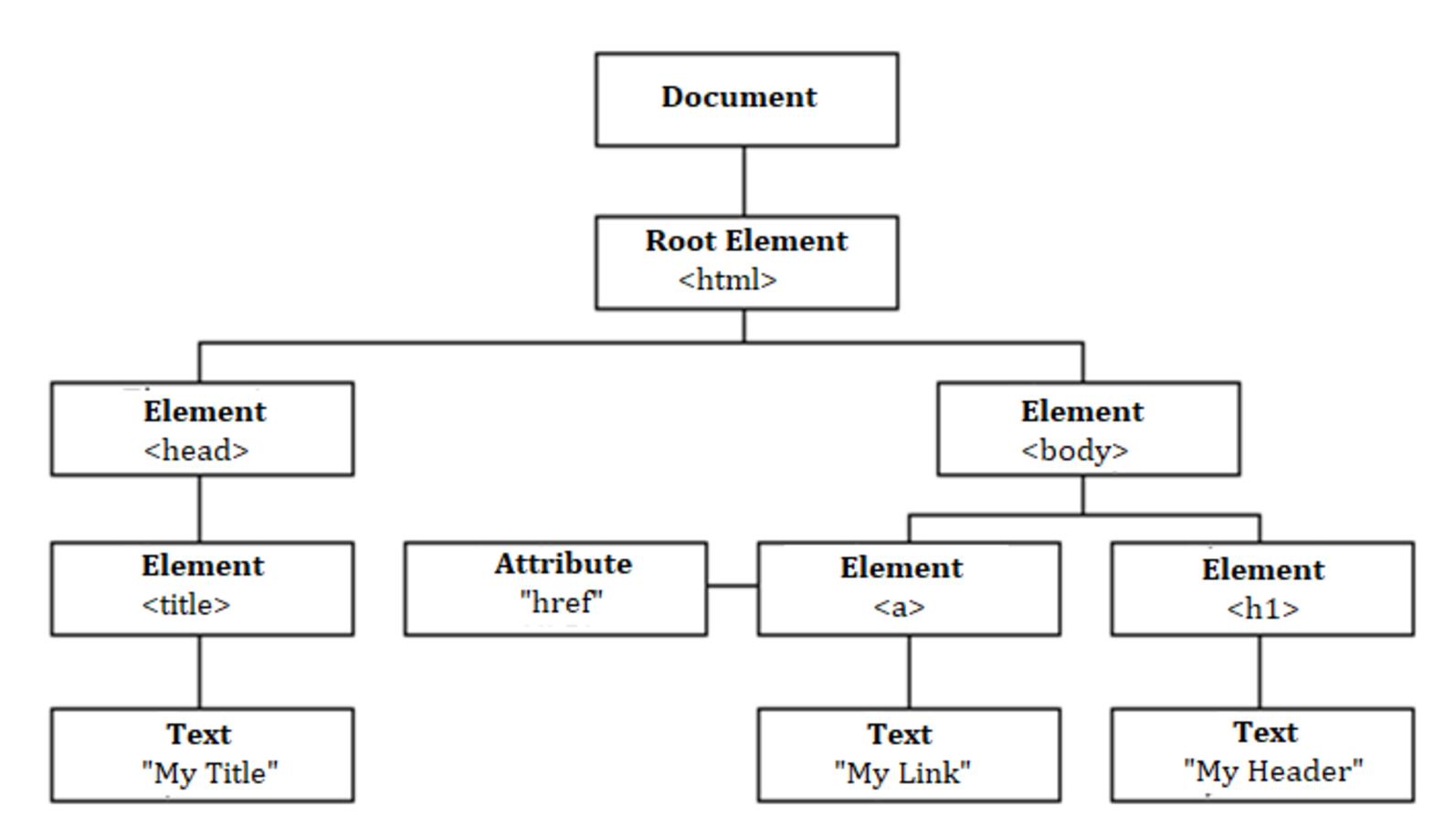
- When web browser loads an HTML document, it constructs the DOM and structures all elements in a tree-like representation
- JavaScript can access the DOM to dynamically change the content, structure, and style of a web page
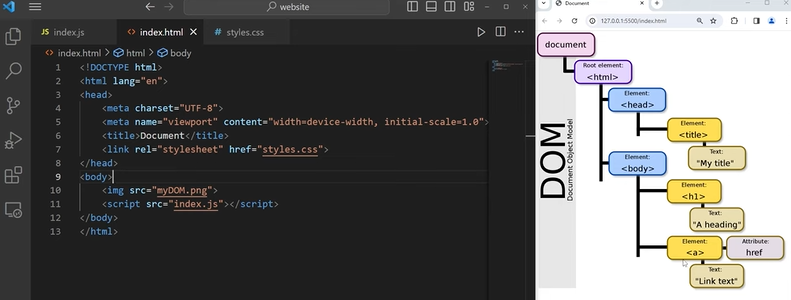
Using JS to manipulate DOM
- the HTML itself represents the initial page content, and the DOM represents the updated page content which was changed by the JavaScript code you wrote
- Objects inside the DOM have property and methods
propertiesinnerHTMLinnerTextstylefirstElementChildmethod- something an object can do (has to be associated with an object unlike a function)
click()appendChild()setAttribute()
Examples
document.firstElementChild- gives you
<head>
- gives you
document.lastElementChild- gives you
<body>
- gives you
document.querySelector(".class")- returns the first
Elementwithin the document that matches the specified CSS selector document.querySelector("input").click()- looks at entire document for the object that has the selector of “input”, then click
- element/class/id
- class:
document.querySelector(".input") - id:
document.querySelector("#title")
- returns 1 item
- selects the first match in the DOM
- looks at entire document for the object that has the selector of “input”, then click
- returns the first
document.querySelectorAll- returns array
document.getElementById("btn")- returns 1 item (not array)
document.getElementsByTagName("li")- looks through the webpage and searches for the elements with a particular tag name
- gets back an array that contains the element
- we can use any methods for the array
- .length
document.getElementsByClassName("btn")- returns array
Text manipulation
document.getElementById("btn").innerHTML- gives u the html that’s in between the element tags
"<strong>Hello</strong>"
document.getElementById("btn").textContent- gives you only the string
"Hello"
Attribute manipulation
document.querySelector("a").attributes- gives a list of all attributes
document.querySelector("a").getAttribute("href")document.querySelector("a").setAttribute("href", "the link")- 1st: attribute you wanna change
- 2nd: what you want to change it to
When you’re trying to use JS to change properties instead of CSS
- https://www.w3schools.com/jsref/dom_obj_style.asp
- properties in CSS are hyphen splitted (
font-size) but when it comes to JS, it becomes camel case (fontSize) - but in most cases they are the same
- also the value has to be represented in string (even though its a number)
document.querySelector("h1").style.fontSize = "2rem"
Examples
- Blackjack - We can use
getElementByIdandquerySelectorlike this
let messageEl = document.getElementById("message-el");
// let sumEl = document.getElementById("sum-el");
let sumEl = document.querySelector("#sum-el");<body>
<h1>Blackjack</h1>
<p id="message-el">Want to play a round?</p>
<p>Cards:</p>
<p id="sum-el">Sum:</p>
</body>- Rendering list with
innerHTML, ordocument.createElement
<body>
	<ul id="ul-el"></ul>
</body>
let myLeads = ["test1", "test2", "test3"];
const ulEl = document.getElementById("ul-el");
for (let i = 0; i < myLeads.length; i++) {
console.log(myLeads[i]);
ulEl.innerHTML += "<li>" + myLeads[i] + "</li>";
}
// another way
for (let i = 0; i < myLeads.length; i++) {
console.log(myLeads[i]);
// ulEl.innerHTML += "<li>" + myLeads[i] + "</li>";
const li = document.createElement("li");
li.textContent = myLeads[i];
ulEl.append(li);
}DOM Event types
- User Interface events
- load and unload, abort/error, user selection of text in page
- Focus events
- mouse events
- click, mouseover, etc
- . wheel events
- wheel
- input events
- before/after input
- keyboard events
- composition events
- inputting text in alternate manner