What
- A mechanism that redirects the standard output (
stdout) of one command into the standard input (stdin) of another command- So you can chain multiple commands together and build more complex functionalities
- General syntax:
command | command | .... | command
- Motivation
- Without pipes, how do we count the number of files in a directory?
ls > output.txt,wc -l output.txt,rm output.txt- the
output.txtshould be in a different folder becauselswill count it too - Use pipes, it makes your life easier by allowing you to combine multiple programs together
- no need for temporary file
- Basically after the
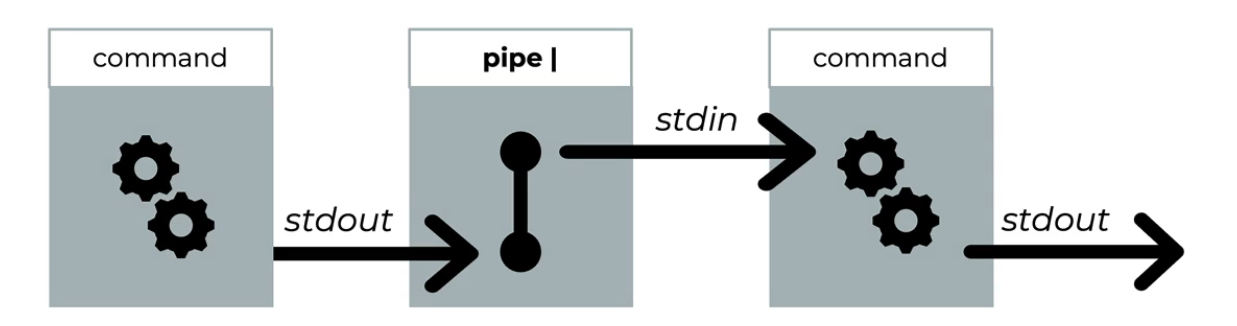
|there should be a command, and NOT A FILE - Pipe diagram
Examples
Example 1
ls | wc -l- ls prints the files to
stdout, then the pipe redirects thestdoutis redirected to thestdinto the 2nd programwc -l - Then the result will be printed
- ls prints the files to
ls | catwc -landcatcan also read fromstdin- related: What about stdin
ls -l | tail -n3- show the last 3 lines of
ls -l
- show the last 3 lines of
ls -1 | tail -n8 > test/ls.txt- get the last 8 lines from
ls -1and put that ontest/ls.txt
- get the last 8 lines from
Example 2
leejun@leejun-VirtualBox:~/Desktop$ du -h text.txt not-exist.txt 2>&1 >/dev/null
du: cannot access 'not-exist.txt': No such file or directory

leejun@leejun-VirtualBox:~/Desktop$ du -h text.txt not-exist.txt 2>&1 > /dev/null | wc -l
1- 1st command - redirects error to current
stdout(terminal) then redirectsstdoutto/dev/null - 2nd command - you can use this to count the number of errors
> /dev/null→ Discardsstdout, butstderris still printed to the terminal (as it was redirected to previous currentstdout(terminal)).- the pipe receives this
stderrinput forwc -l - You’re not piping from
/dev/null—you redirected onlystdoutthere. The remainingstderroutput is still available for piping.